


Bus Simulator : 3D Bus Games
4.7577.00 Reviews
App Specs
- Version
- 4.0.6
- Updated On
- License
- Free
- Downloads
- 50,000,000+
- Developer
- GamePark
- Categories
- Simulation
- Platform
- Android
Screenshots
 Analysis by AppCompare
I like bus-driving games most when they give me a clear job to do rather than simply asking me to cruise around. In Bus Simulator: 3D Bus Games, the appeal is the mix of driving and practical tasks: steering a large vehicle, handling parking, and working through missions. That makes it easy to understand what I’m meant to focus on, even if I only have time for a short session.
What gives a first session direction
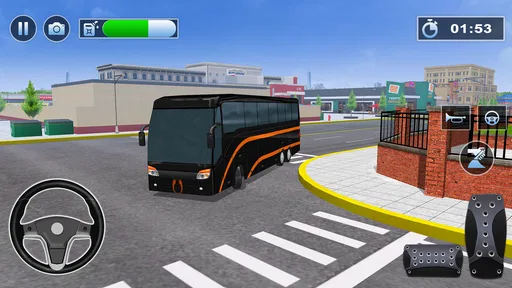
The early draw is straightforward: learn how the bus responds, then put that feel to use on a route or parking challenge. Those two kinds of tasks ask for different habits. Driving rewards patience and looking ahead; parking makes me slow down, judge the space around the bus, and correct small mistakes instead of rushing. I’d treat the first few attempts as practice, not as a test of whether I’m good at the game.
That distinction is useful because a bus is not as forgiving as a small car in a driving game. A turn that looks harmless can require more room, and a parking approach that is too fast can become awkward quickly. When a maneuver goes wrong, I find it more helpful to reset my approach mentally—line up earlier and make smaller corrections—than to keep steering sharply at the last moment.
Progress that feels tied to driving
The game’s missions give each session a practical target, while the parking challenges make basic control feel like a skill worth improving. I enjoy that focus more than a progression loop built only around collecting rewards. The satisfying moment is not just finishing a task; it’s noticing that I handled a turn or a tight stop with more control than before.
There is a trade-off, though. Players who need a long story, a detailed career, or a carefully explained chain of unlocks may find this kind of mission-led structure less compelling. I wouldn’t choose it expecting a deep management simulation. Its strongest promise is the act of driving and parking, so the fun depends on whether repeating those skills feels rewarding to you.
How the challenge suits different players
I’d recommend it to someone who likes vehicle simulators but wants a clear, accessible starting point. It can also work well as a casual game for a short break: choose a task, concentrate on the road or the parking space, and stop when the run is over. The Teen content rating is another reason to check that it suits the person who will be playing, especially if you are choosing a game for a younger family member.
On the other hand, if you want high-speed racing, combat, or a detailed transport-management sandbox, this is not the right match. A racing game puts the emphasis on speed and competition; a management simulator typically asks you to plan systems beyond the drive itself. This game sits closer to hands-on bus control, and I’d pick it when that specific rhythm is what I want.
Worth Reading Before You Choose

EA SPORTS FC Mobile 26 Is a Bigger Football Game, but It Takes Time

Flipboard Shows What News Apps Must Do Beyond the Feed

Switching to Android Auto Means Rethinking Your Driving Routine

Google Calendar Makes a Crowded Week Easier to Manage

Ludo King Makes the Most of the Minutes Between Plans

Baby Panda World Brings Quick Play to Modern Phones, but Its Game Library Feels Busy
Where I’d fit it into a normal day
For example, I might open it while waiting for a ride or taking a short break, pick a parking task, and use the attempt to practice judging the bus’s position. If I have more time, a driving mission gives me a reason to stay focused for longer. I wouldn’t start a session when I’m distracted and expect the same enjoyment: careful steering and parking are less satisfying when I’m only half paying attention.
A practical tip is to make one adjustment at a time. If the bus is too close to one side, correct that first rather than changing direction, speed, and camera view all at once. That keeps the cause of a mistake easier to read. It also makes retries more useful: each run can teach me whether my approach was too wide, too quick, or simply poorly lined up.
Getting Started with Bus Simulator
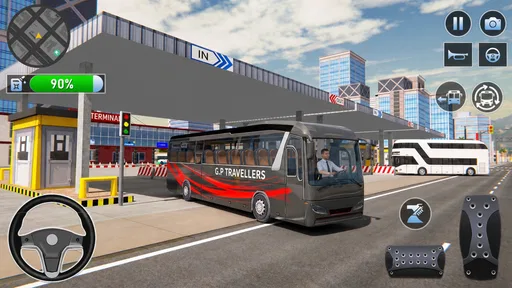
When you first launch the app, you’re greeted with a simple yet engaging interface that makes it easy to dive into the world of bus driving. The game offers a variety of buses to choose from, each with its own unique features and handling. From sleek city buses to robust double-deckers, Bus Simulator: 3D Bus Games has something for every aspiring bus driver.
Before hitting the road, you’ll want to explore the game’s tutorial. It’s comprehensive and helps familiarize you with the controls, which are intuitive and well-designed. Whether you’re tilting your device, using on-screen buttons, or even connecting a game controller, the app accommodates various play styles.
Immersive Gameplay
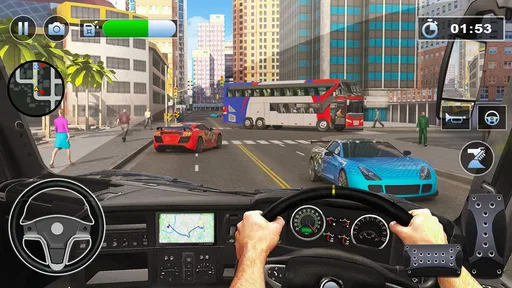
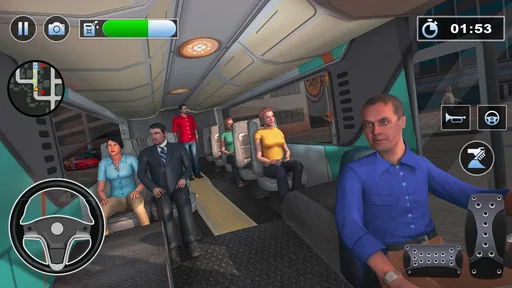
One of the standout features of this game is its realism. The physics engine is top-notch, making the driving experience feel authentic. You’ll need to keep an eye on traffic rules, stop at red lights, and manage passenger pickups and drop-offs efficiently. The weather effects add another layer of complexity, challenging you to adapt your driving skills to rain, fog, or even snow.
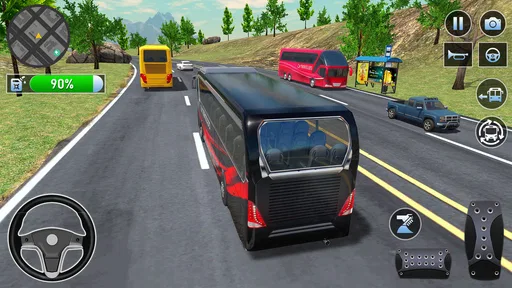
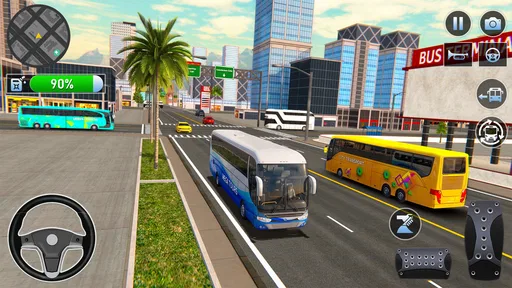
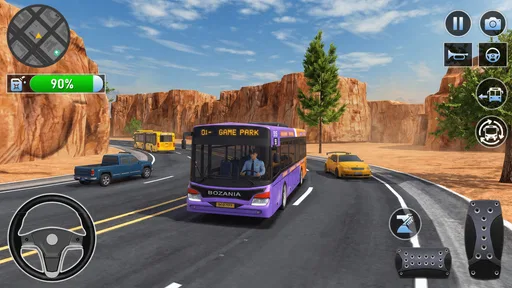
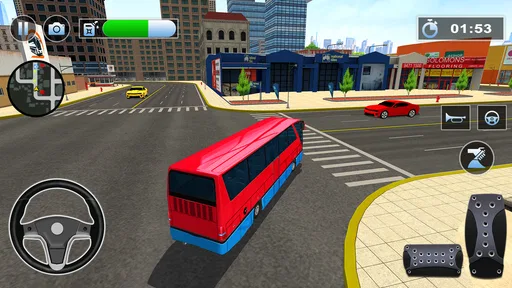
The game offers a variety of missions and challenges, keeping you engaged for hours. Whether you’re navigating through a complex cityscape or enjoying a leisurely drive through the countryside, there’s always something new to explore. The attention to detail is incredible. You’ll find yourself admiring the architecture and landscapes, which are beautifully rendered in 3D.
Customization and Features
Customization is another area where the app shines. You can personalize your bus with a range of colors and decals, making it truly your own. The game also lets you upgrade your bus’s performance, enhancing speed, handling, and fuel efficiency. This not only adds a strategic element to the game but also keeps you motivated to progress.
For those who love a bit of competition, the app offers a multiplayer mode where you can test your driving skills against friends or players from around the world. It’s a great way to see how you stack up and adds a social element to the game.
Graphics and Sound
The graphics in Bus Simulator: 3D Bus Games are impressive, with detailed environments and smooth animations that enhance the overall experience. The sound design complements the visuals perfectly, from the rumble of the bus engine to the ambient sounds of the city. It’s clear that the developers have put a lot of effort into creating an immersive atmosphere.
Progression, pace, and staying power
The game is a simulation title from GamePark, and its focus is easy to read: it wants me to practice bus handling through driving and parking tasks. I find that a useful distinction when deciding whether to keep playing. If I enjoy getting a little more precise with a vehicle, repeating a mission can feel like progress even before any unlock or upgrade enters the picture. If I only enjoy a game when it continually introduces new mechanics, the same loop may feel familiar sooner.
Its broad reach suggests that the format has found an audience: it has a 4.7 average from around 148,000 ratings and over 50 million installs. Those figures don’t tell me whether every player will enjoy the handling, but they do make it less of an obscure experiment. The game is free, so it is easy to try without making a purchase decision first. I would still judge it by the actual driving feel rather than by popularity alone.
Making the controls work for you
The original article’s control options are worth testing deliberately instead of settling on the first one that works. Tilt steering can feel natural if I want to guide the bus with broad movements, while on-screen buttons may suit someone who prefers direct, repeatable inputs. A controller is another option mentioned in the game’s controls, but I’d first see whether the device setup is comfortable before building a routine around it. For precise parking, I would choose the input that lets me make the smallest corrections reliably, not the one that feels most dramatic.
Camera and steering habits matter as much as the control method. I try to avoid making a large turn while also changing speed abruptly; separating those decisions gives me a clearer sense of how the bus is responding. On a narrow approach, slowing down early is usually more useful than correcting late. That’s a general driving technique rather than a shortcut, but it makes a simulator’s parking tasks less frustrating and helps me learn from a failed attempt.
Who should choose this kind of bus game
I see it as a good fit for players who want a low-pressure way to practice vehicle control, enjoy route-based tasks, or like the contrast between open driving and careful parking. It may also suit someone who is curious about bus simulators but isn’t ready to commit to a more complex title. The current version is 4.0.6, and the game is listed for Android devices running version 7.0 or later; the age guidance is Teen, so I’d check that before handing it to a younger player.
I’d skip it if my main reason for playing were competitive racing, a realistic public-transport business, or a long narrative campaign. Those goals call for different kinds of games. Here, the most rewarding question is whether I can handle the next drive or maneuver better than the last one. That narrower focus is a strength for the right player, but it also sets a limit on how much variety someone seeking a broad simulation experience may find.
A balanced look at the long-term loop
The bus choices, customization, performance upgrades, missions, and multiplayer described in the game give several ways to stay interested, but they don’t all appeal for the same reason. Personalizing a bus is satisfying if visual ownership matters to me; upgrading performance is more appealing when I want a practical reason to keep progressing. Multiplayer can add a social challenge, though I’d choose it only when I want to compare driving with other people rather than relax alone.
The possible friction is that these layers still orbit the same core activity. If driving itself feels repetitive, a new paint choice or an upgrade may not change that for long. I also wouldn’t assume that every bus or customization option is available immediately; the more useful approach is to enjoy the vehicle and tasks currently at hand, then treat future progress as a bonus rather than a promise. That keeps expectations grounded and makes the game easier to enjoy at its own pace.
What to expect before installing
One reasonable question is whether this is better for a quick session or a longer one. I think it can serve both, because a single parking task gives a natural stopping point while a run of missions can occupy more time. Another is whether it is a relaxed drive or a demanding one: the answer depends on the task and on how much attention I give the controls. The parking side asks for patience; a route is more enjoyable when I can watch traffic and respond calmly.
It is also worth deciding whether you want a solo driving experience or a social one. The game includes multiplayer, so it isn’t limited to playing by yourself, but I’d approach that as an added way to test my skills rather than the sole reason to install it. And if you are choosing between this and a more elaborate simulation, compare what you want to do moment by moment: drive a bus and complete practical challenges here, or manage a wider system elsewhere.
How it compares with familiar alternatives
Compared with a conventional racing game, this title puts less emphasis on speed and more on controlling a large vehicle through routes and parking situations. Compared with a deep management simulator, it brings the focus back to the wheel rather than asking me to spend most of my time planning an operation. That middle ground is the reason I’d try it: it offers more purpose than aimless cruising, but it remains centered on the physical task of driving.
For players who already enjoy bus simulators, the useful question is not whether it replaces every other option, but whether its mix of missions, parking, customization, and multiplayer matches the kind of session they want. I’d keep another game in rotation if I wanted a different mood—racing for speed, or management for planning—and use this one when I wanted measured, hands-on driving. That is a more realistic expectation than treating any one simulator as the complete answer to every driving-game preference.
Graphics and Sound
The graphics in Bus Simulator: 3D Bus Games are impressive, with detailed environments and smooth animations that enhance the overall experience. The sound design complements the visuals perfectly, from the rumble of the bus engine to the ambient sounds of the city. It’s clear that the developers have put a lot of effort into creating an immersive atmosphere.
Final Thoughts
If you’re a fan of simulation games, Bus Simulator: 3D Bus Games is definitely worth checking out. It combines realism with engaging gameplay, offering a unique experience that’s hard to put down. Whether you’re a seasoned gamer or new to the genre, this app provides hours of entertainment.
So, buckle up, start your engines, and get ready to explore the world from the driver’s seat of your very own bus. It’s a journey you won’t want to miss!
Pros
- Realistic graphics enhance gameplay experience.
- Wide variety of buses to choose from.
- Intuitive controls make driving easy.
- Detailed city environments add immersion.
- Regular updates with new features.
Cons
- Some levels can be repetitive.
- Occasional ads disrupt gameplay.
- Requires stable internet for best performance.
- Limited customization options for buses.
- Can be resource-heavy on older devices.
FAQs for Bus Simulator : 3D Bus Games
What is Bus Simulator: 3D Bus Games about?
Bus Simulator: 3D Bus Games is a realistic simulation game where players take on the role of a bus driver, navigating through various routes and environments. The game features detailed 3D graphics, authentic bus models, and a variety of challenging missions. Players must manage time, follow traffic rules, and ensure passenger safety for a rewarding experience.
What platforms is Bus Simulator: 3D Bus Games available on?
Bus Simulator: 3D Bus Games is available for both Android and iOS platforms. Users can download the game from the Google Play Store for Android devices or the Apple App Store for iOS devices. Ensure your device meets the required specifications to enjoy a smooth gaming experience.
Does Bus Simulator: 3D Bus Games require an internet connection?
Bus Simulator: 3D Bus Games primarily offers offline gameplay, allowing players to enjoy the simulation without an internet connection. However, certain features, such as updates or additional downloadable content, might require internet access. Always check the app’s requirements to ensure full functionality.
Are there in-app purchases in Bus Simulator: 3D Bus Games?
Yes, Bus Simulator: 3D Bus Games includes in-app purchases. Players can buy additional buses, unlock premium routes, or remove ads to enhance their gameplay experience. While these purchases are optional, they can offer added convenience and customization to your simulation experience.
What are some tips for new players in Bus Simulator: 3D Bus Games?
For newcomers, it’s essential to start with simpler routes to get used to the controls and game mechanics. Pay attention to traffic signals, adhere to speed limits, and practice safe driving to avoid penalties. Gradually progress to more challenging routes as you gain confidence and improve your driving skills.


